
Phrase Screen
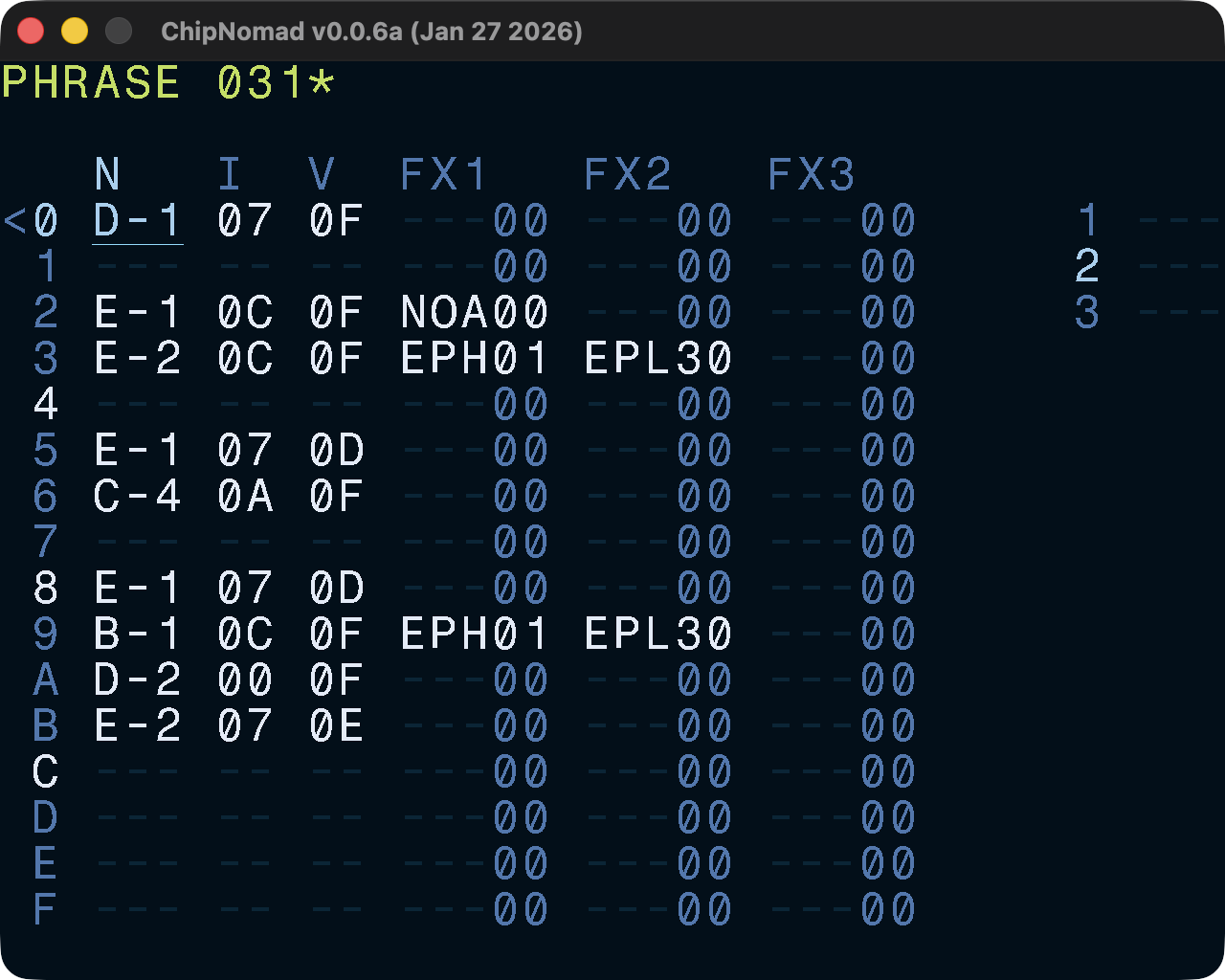
The phrase screen layout should be familiar for everyone who is familiar with trackers. You have your typical columns: note, instrument, volume, FX. Like M8, ChipNomad has 3 FX columns.
Phrases are 16 rows long, unlike patterns in classic trackers. But when you have a chain with multiple phrases, then the Phrase screen works similar to a pattern editor: when you do below row F or above row 0, Phrase screen moves to the next/previous phrase in the chain.
If the phrase is used in the project multiple times, then there will be an asterisk (*) character next to its number. You can clone phrases at the Chain screen.
Controls
In addition to the common controls the following controls are available:
- OPT + EDIT on an empty note: insert note off
- EDIT + [UP or DOWN] on an FX name column: open FX select screen
- OPT + [LEFT or RIGHT]: navigate between tracks
- OPT + [UP or DOWN]: navigate between phrases in the current chain
- Select range in the instrument column, then SHIFT + EDIT: clone instruments
- Select range, then EDIT + [UP or DOWN]: rotate phrase rows