
Table Screen
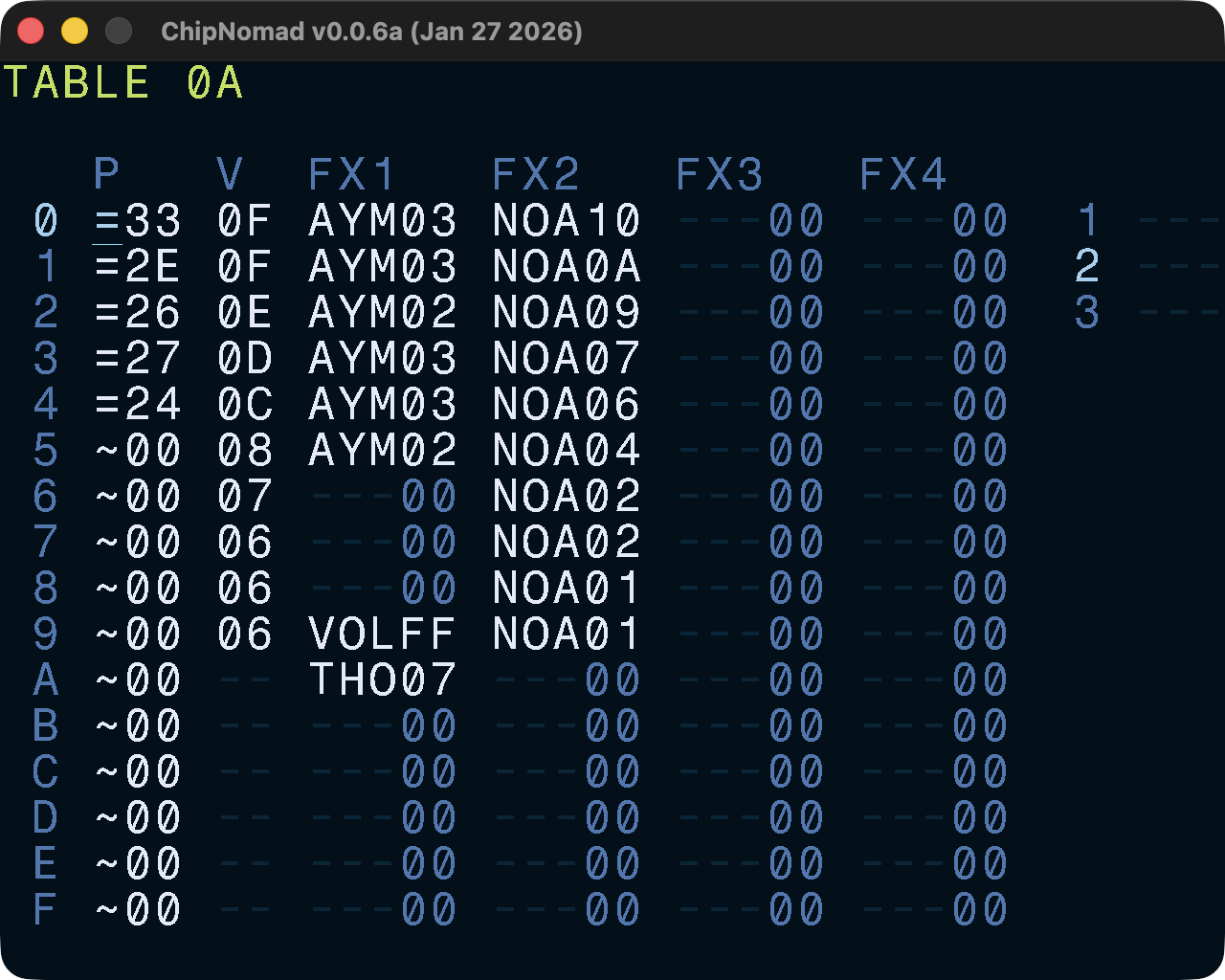
Tables are the main sound design tool in ChipNomad. If you’re familiar with Vortex Tracker, tables are the mix of instruments and ornaments. But you can do much more with tables. If you’re familiar with LSDJ and M8, you know what tables are.
Pitch column can have relative (~) or absolute (=) pitch values in semitones. Volume is applied on top of ADSR envelope. Four FX lanes are generally equal to FX lanes in phrase, however, there are minor differences in the behavior of some FX in phrases and tables.
Putting TIC FX on the last table row will set the speed for this column, overriding the default table speed from the instrument. Each FX column in the table can run with a different tick speed. Pitch and volume columns are tied to the speed of the first FX column.
Having only 16 rows in a table may seem limiting if you compare it to, for example, longer instruments in the Vortex Tracker. However, HOP FX lets you create conditional loops (“repeat rows 5 times”) and even nested loops. Loops and different speeds of FX columns significantly increase sound design possibilities.
Tables 00-7F are reserved for default instrument tables, tables 80-FE can be used as aux tables (TBX effect). While you can use tables in the 00-7F range as aux tables, it’s not recommended to avoid unexpected conflicts and confusion.
Controls
In addition to the common controls the following controls are available:
- EDIT + [UP or DOWN] on an FX name column: open FX select screen
- OPT + DIRECTION: navigate between tables