
Wavetable Screen
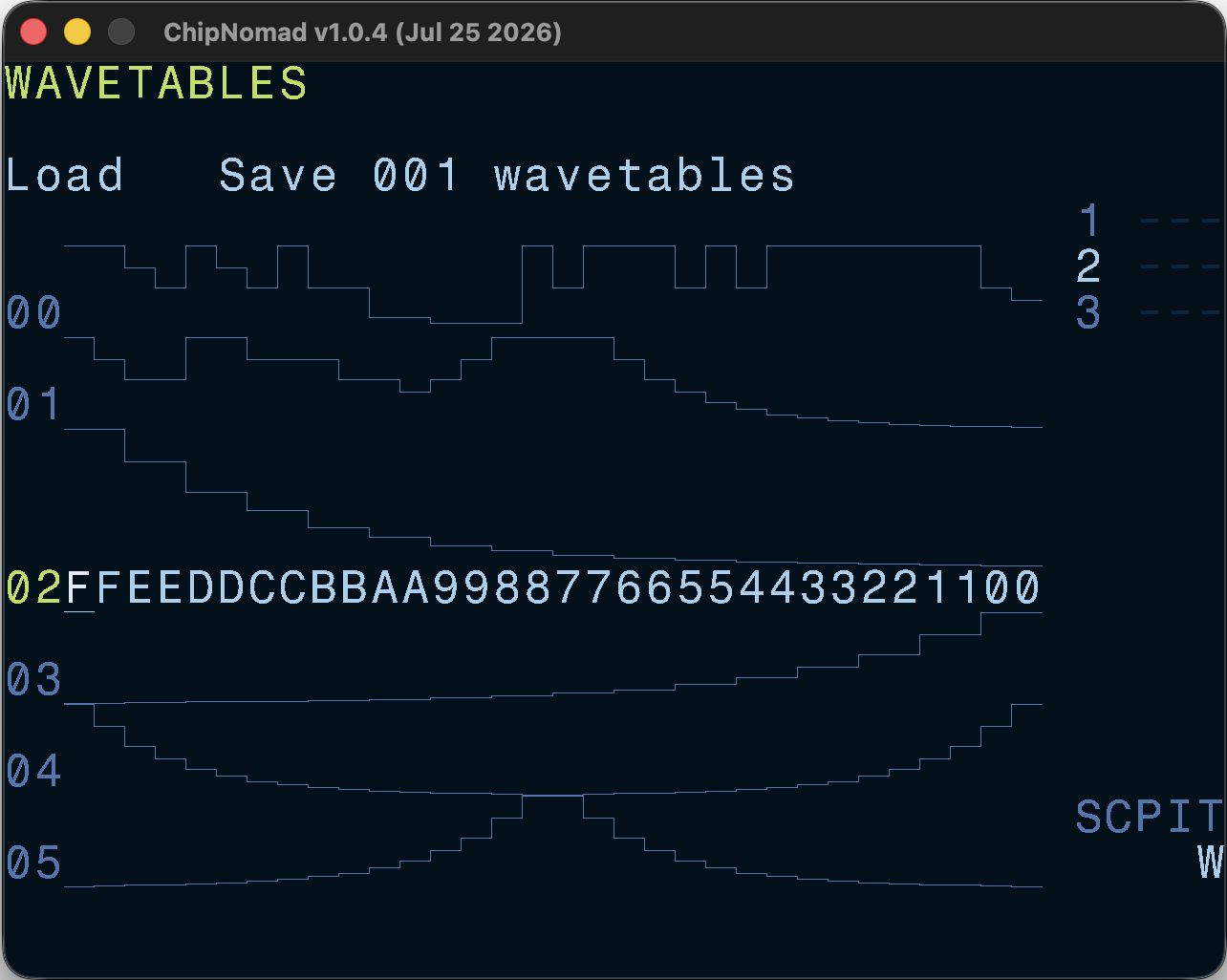
One of AY Plus software oscillator types is the Wavetable. You can have up to 256 32-step wavetables in a project. All wavetable instruments use the same set of waves. This screen is dedicated to editing wavetables.
AY volume levels are non-linear, and the waveform is rendered true to the actual output levels.
The screen is organized as 2 logical rows with the top row dedicated to load/save buttons, and the second row is the wavetable editor.
Controls
Use the common edit functions (EDIT + DIRECTION) to edit the selected wavetable. In addition to the common controls these key combinations are available:
- OPT + [LEFT or RIGHT]: navigate through the wavetable list
- OPT + [UP or DOWN]: navigate through the list by 16 waves
- SHIFT + OPT: copy wavetable
- SHIFT + EDIT: paste wavetable